Process steps for Centralized Subscription Newsletter Pages Creation
Here you will learn:
- Update Newsletter Details
- Work through the codes and amend the necessary information
- Upload JS files in the WCC
- Update the Master Centralized JS file
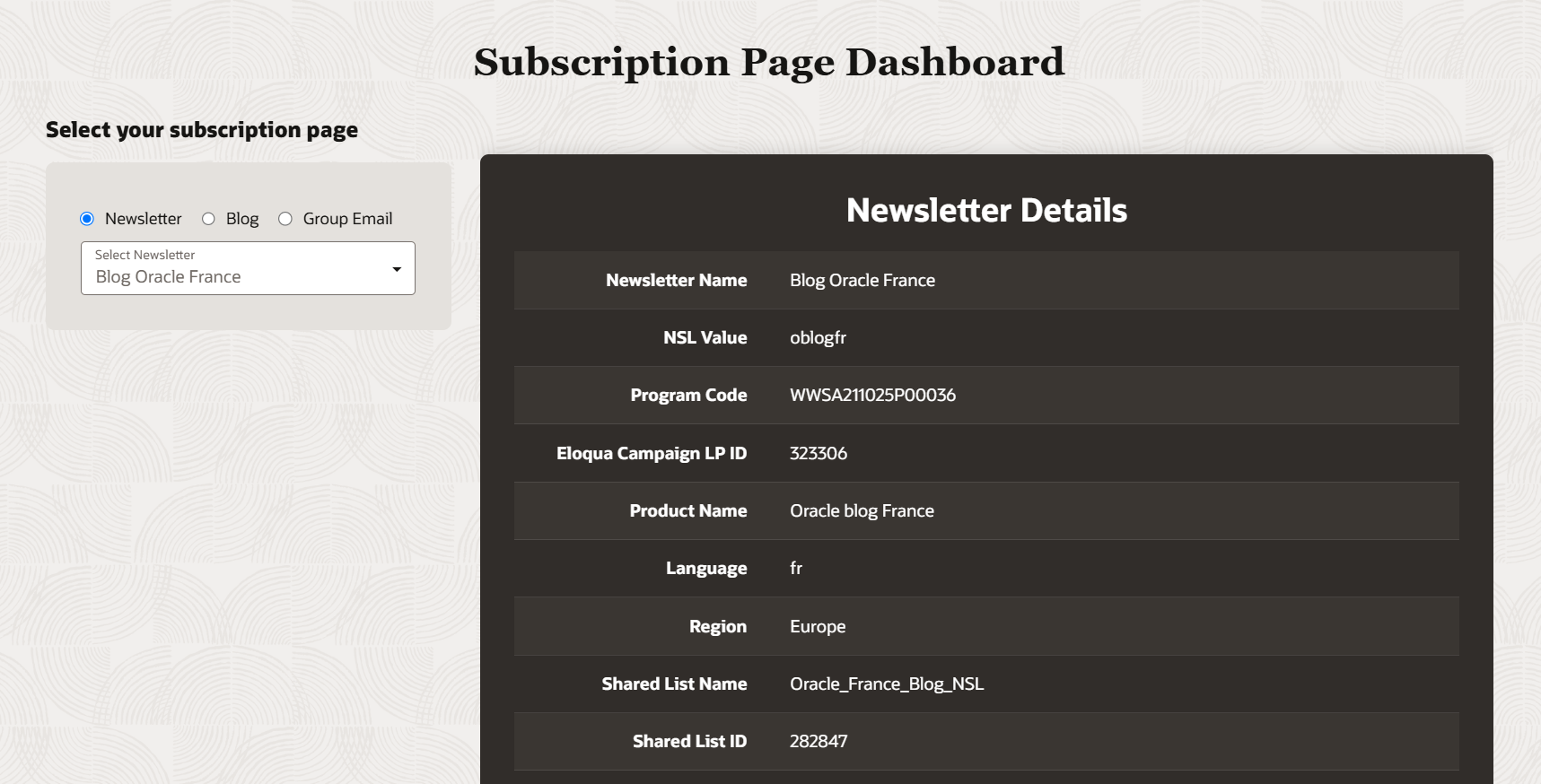
1. Download the sample text file to update the newsletter details
File Name: nslvalue-nsl.js
URL: https://www.oracle.com/webfolder/dms/m/nslvalue-nsl.js

2. Update all the available information about the newsletter
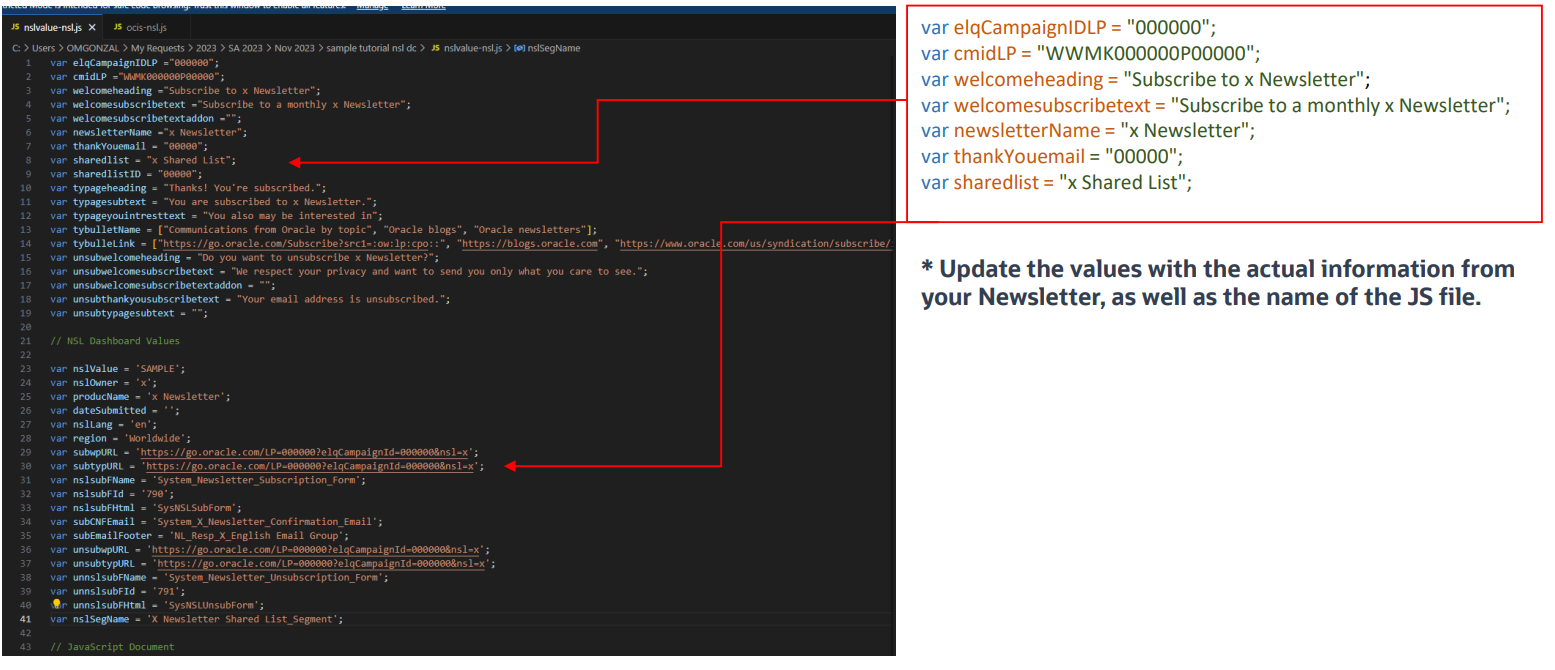
3. Fetch your JS file and Upload it to WCC
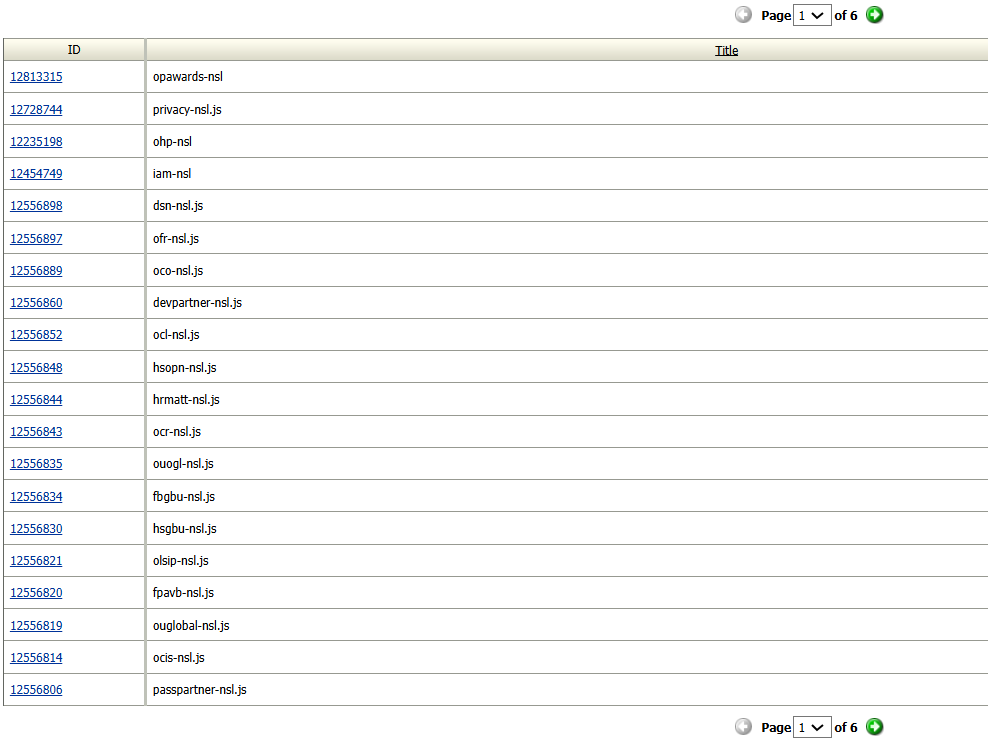
Note: Upload your files in the correct folders. Also, do not forget to note down your NSL name and WCC ID.
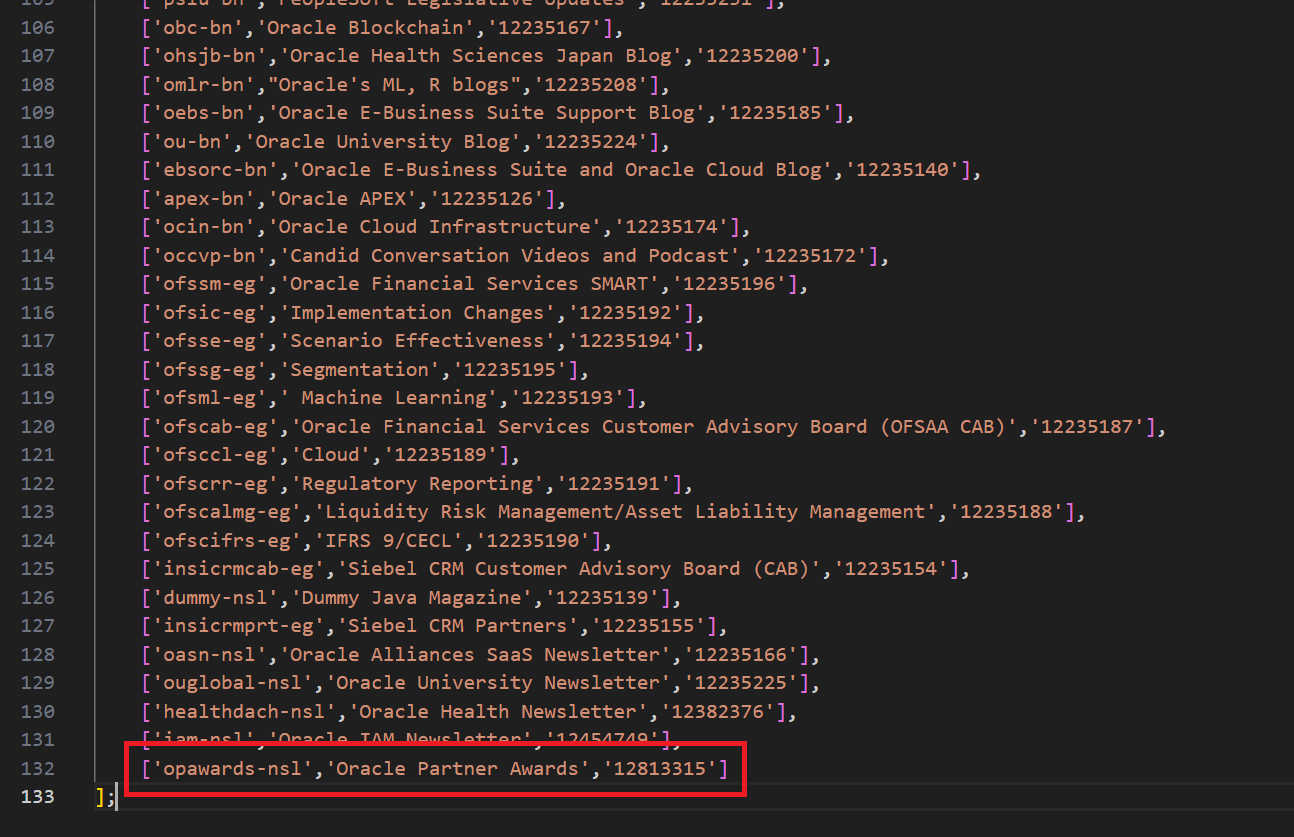
4. Download the latest Master Centralized nsl-bn-updater.js file and include your newseter/blog/group email in the below format
https://www.oracle.com/webfolder/dms/prod/docs/nsl-bn-updater.js[NSL parameter, NSL Name, WCC ID]
Note:
1. Update the values with the actual information from the JS file you created and upload it WCC.
2. For Newsletter - information will be fetched and displayed in the Centralized Subscription Pages and Dashboard.
3. For Blog and Group Email - information fetched and displayed only in the Dashboard.
5. Upload a new version to WCC in the same path, so that your newly created information will be added to Dashboard as well.
File Name: nsl-bn-updater.js
Dashboard URL: https://go.oracle.com/NewsletterSubscriptionDashboard
Note: do not forget to cross verify your details once it is published.
Related Topics
Nailed it?
If yes, click below to confirm completion of this topic.
Yes, I have understood this topic well
