Certain Redirecting Links
If the requester wants to redirect the welcome to a third-party site or on-demand webcast link once the event has started. Redirection link process can be used.

 People
3 - 6 |
 Prep time
5 min |
 Time
30 min |
 Difficulty
Easy |
Workflow
STEP 1 - Configuring Check-In Module (5 min)
Follow these steps to redirect the page without altering or deleting the welcome page content.
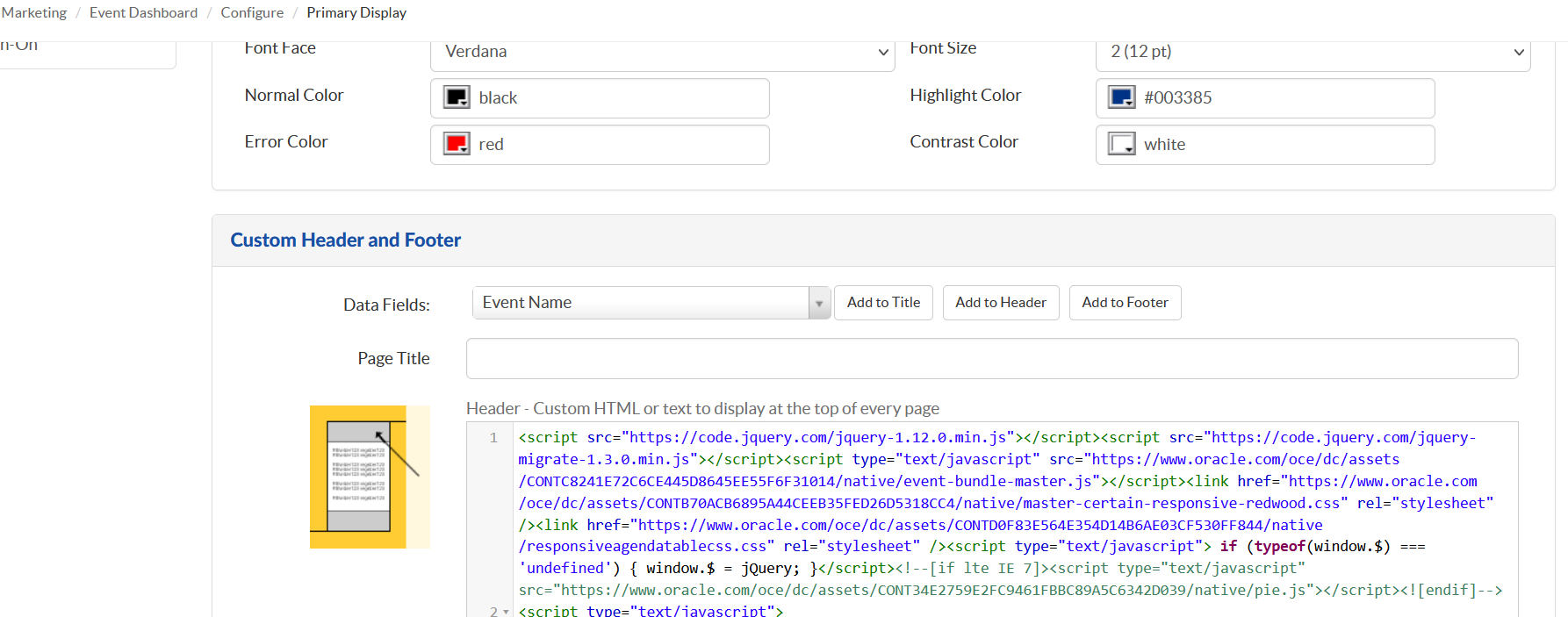
- Click the Events quick link. Click Plan->Configure->Primary Display.
- Scroll down to the Custom Header and Footer section.
- In the box labeled "Header - Custom HTML or text to display at the top of every page," enter the following at the end of the existing code.
<meta HTTP-EQUIV="REFRESH" content="0; url=http://events.oracle.com/">
<style type=text/css>
body {display:none}</style>
Related Topics
Nailed it?
If yes, click below to confirm completion of this topic.
Yes, I have understood this topic well
